FTTP Multi-Gig Hardware Upgrade: 1 Port or 4 Port?

So you're eager to upgrade to a multi-gigabit speed tier, but you've heard about these single-port nbn connection boxes and want to know whether it's best suited for you? Great! Let's cover some ground on what they are, and which type you need!
What is an NTD and what are the new options?
The Network Termination Device is that white nbn-branded box that's bolted onto the wall that you plug your Wi-Fi router into, which is simply referred to as an "nbn connection box".
nbn are offering two main options: a single-port NTD, and a four-port NTD.
nbn are also no longer supporting the Backup Battery Unit(BBU) so this will be removed along with the old NTD. For more information on the BBU and V1 NTD, you can find it here: the nbn Fibre User's Guide
If you have a Uninterruptible Power Supply (UPS) powering your router, you'll also need to connect your NTD to it as well to ensure Internet connectivity stays up.
Single-port NTD
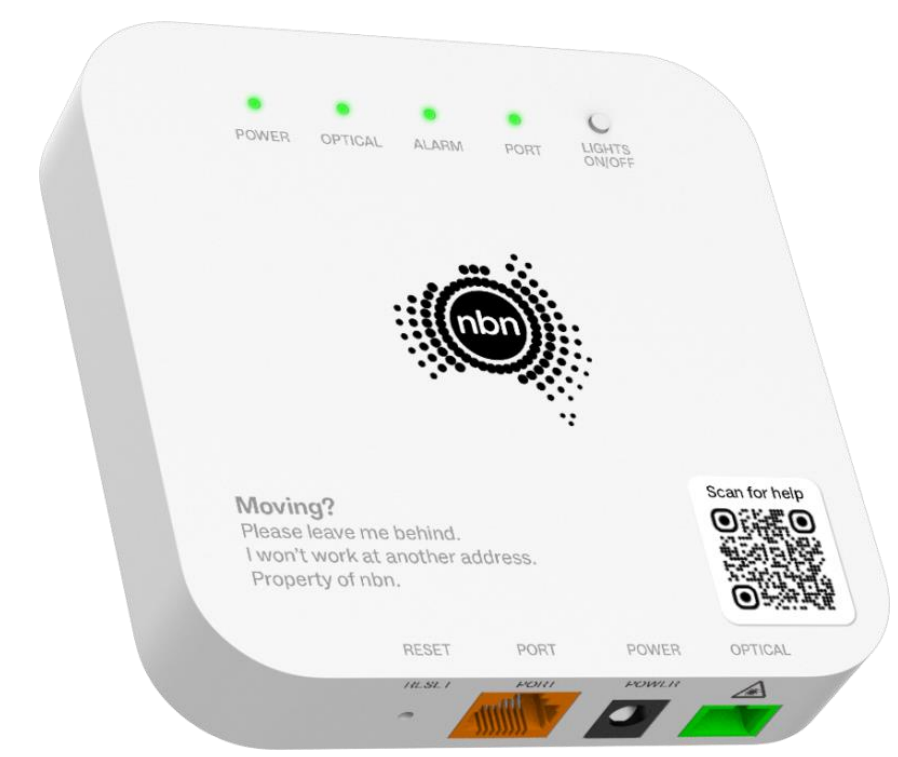
Installing FTTP for the first time or upgrading to nbn Hyperfast, nbn’s upcoming multi-gigabit plan? The new FTTP one port connection box, available in September 2025, is designed to give you a modern, compact experience that helps your home or small business do great things.
The single-port NTD has a 2.5Gbps port.
Four-port NTD
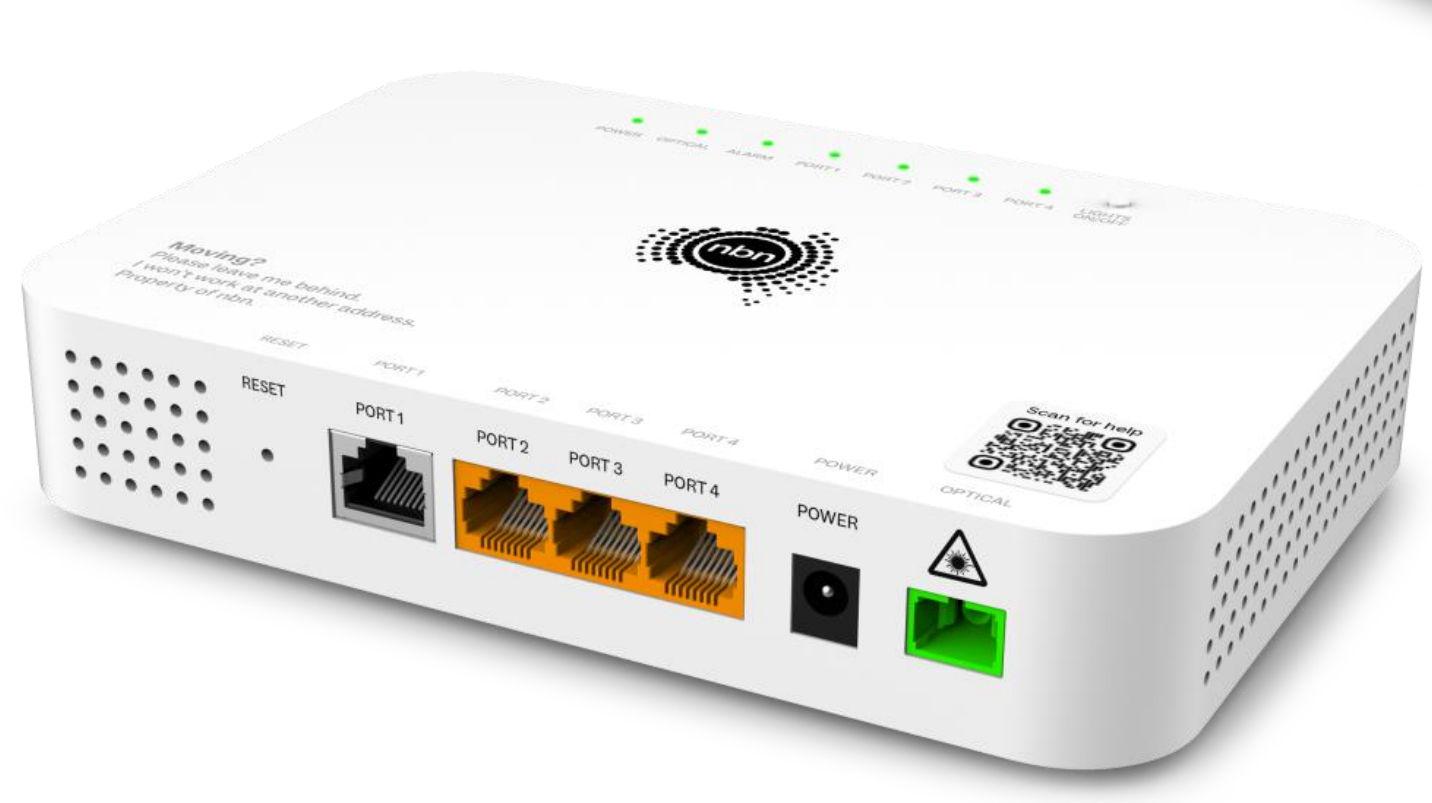
The new four port FTTP connection box allows you to order up to four separate services from the same or different service providers through one connection box, and connect up to four routers.
The four-port NTD has one 10Gbps port on UNI-D 1, and the remaining 3 ports are 2.5Gbps.
Costs involved with the upgrade
All appointments made for a multi-gigabit service are completely free of charge, however there are potentially costs involved if you're looking for a 4-port NTD.
| Scenario | Cost |
|---|---|
| nbn Technician call-out fee | $0 |
| FTTN/FTTC/New Fibre Install to 1-Port NTD | $0 |
| FTTN/FTTC/New Fibre Install to 4-Port NTD | $110 |
| FTTP v1 NTD to 1-Port NTD | $0 |
| FTTP v1 NTD to 4-Port NTD (Where only one service is active) | $300 |
| FTTP v1 NTD to 4-Port NTD (Where multiple services are active) | $0 |
| FTTP v1 NTD and additional Multi-gig NTD | Please discuss with our Customer Support team |
Paying for the 4-Port model is as simple as going into our Store and purchasing the option for the 4-port upgrade.
How to place your upgrade
There's a few different ways this can play out, so let's see if we can cover everything here:
FTTN/FTTC upgrade customers
- Search for your address on our website
- Follow through with the on-screen instructions
- Select the multi-gig speed tier
- Choose one of the options on the right:
-> Looks great - let's connect ASAP!
-> Schedule service connection for later (if you have a preferred date for appointment)
When you place an order with us for a fibre upgrade, you can contact us to confirm whether you'd like a 4-port model, and we'll book a time for a technician appointment that best suits you. Our staff handles these orders manually.
Please note that if you are a new launtel customer, in most cases we require that you transfer your existing FTTN/FTTC service over to us before placing the upgrade.
Current and new FTTP customers wanting a 1-port NTD
- Log into the Residential Portal
- Click the blue "Modify Service" button
- Click the green "Show latest pricing options" button at the top of the speed tier list
- Select your multi-gig speed tier
- Choose one of the options on the right:
-> Looks great - let's connect ASAP!
-> Schedule service connection for later (if you have a preferred date for appointment)
If you already have a service with another Retail Service Provider (RSP), you may get a third option on the right to transfer (churn) your current service over to us.
Our automated system will handle the order for you, and our Customer Support team will email you to confirm that the appointment has been booked with nbn.
Current and new FTTP customers wanting a 4-port NTD
Where you already have multiple services on an NTD:
- Log into the Residential Portal
- Click the blue "Modify Service" button
- Click the green "Show latest pricing options" button at the top of the speed tier list
- Select your multi-gig speed tier
- Choose one of the options on the right:
-> Looks great - let's connect ASAP!
-> Schedule service connection for later (if you have a preferred date for appointment)
If you already have a service with another Retail Service Provider (RSP), you may get a third option on the right to transfer (churn) your current service over to us.
Where you only have one service on an NTD:
Currently, we recommend contacting us so we can place the order manually for you. You may:
- Give us a call on 1800 528 683 (Option 1 for Residential)
- Start a live chat via the Residential Portal
- Email us at residential@launtel.net.au
Please ensure you've already created an account with us and your contact details are up-to-date. In the future, this will be handled by our automated system. Just not yet! 🙂